Building Your Own Skills
You've experienced skills in action. You've mapped a procedure worth encoding. Now you build.
This lesson takes you from understanding skills to creating them. By the end, you'll have a working skill in your .claude/skills/ folder—and know how to use Claude itself to create more.
Markdown Refresher
Skills are written in Markdown with YAML frontmatter. If you're not comfortable with headings, bullet points, code blocks, or YAML syntax, take 15 minutes to review Chapter 2: Markdown for AI-Native Development before continuing. You'll write better skills with that foundation.
The SKILL.md File: Anatomy of Encoded Expertise
Every skill lives in a folder. The folder contains one required file: SKILL.md.
That's it. A skill can be a single markdown file. The simplicity is intentional—anyone can create one.
The Two Parts of SKILL.md
Part 1: YAML Frontmatter (The ID Card)
Part 2: Markdown Body (The Instructions)
That's a complete skill. No scripts required. No complex setup. Just clear instructions in a format Claude can read.
The Fast Way: Let Claude Build Your Skill
Here's the power move: use Claude to create skills for you.
Remember the Skills Lab you downloaded in Lesson 07? It includes a skill-creator skill—a meta-skill for creating other skills.
From the skills lab directory:
Then:
For example:
The skill-creator guides you through understanding your procedure, writing effective descriptions, and generating a complete SKILL.md file. This is how most people should create skills.
The rest of this lesson teaches you what's happening under the hood—useful for refining skills and understanding why they work.
The Description Field: Your Skill's Activation Trigger
The description in YAML frontmatter is the most important line you write. It determines when Claude activates your skill.
Claude sees skill descriptions at startup (Level 1 of the three-level architecture). When you ask for help, Claude scans these descriptions to decide which skills apply.
Good vs. Bad Descriptions
Bad description (too vague):
Problem: "notes" could mean anything. Claude won't know when to activate.
Bad description (too narrow):
Problem: Won't activate for Teams calls, non-marketing meetings, or live notes.
Good description (clear context + action):
Why it works:
- States WHAT it does (transform → structured summaries)
- Lists KEY OUTPUTS (action items, decisions, follow-ups)
- Specifies WHEN to use (meeting content, meeting notes request)
The Description Formula
Examples:
Hands-On: Create Your First Skill
You mapped a procedure in Lesson 07. Now encode it.
Step 1: Create the Folder
Step 2: Create SKILL.md
Create .claude/skills/blog-planner/SKILL.md:
Step 3: Test Your Skill
Start Claude Code in your project:
Then ask:
Watch for:
- Does Claude follow the procedure?
- Does output match the format?
- Does the quality match your criteria?
Step 4: Verify Activation
Ask Claude directly:
This confirms the skill loaded and helps you understand the activation mechanism.
Refining Skills Through Co-Learning
Your first version won't be perfect. That's expected. Use Claude to improve it.
The Co-Learning Cycle
AI as Teacher: Claude suggests improvements you didn't think of.
Claude might suggest:
- Add SEO considerations to the outline section
- Include word count targets for each section
- Add a "common mistakes to avoid" section
You as Teacher: You specify constraints Claude doesn't know.
Convergence: Together you refine until the skill matches your actual workflow.
Iteration Prompts
After using the skill a few times:
The Bigger Picture
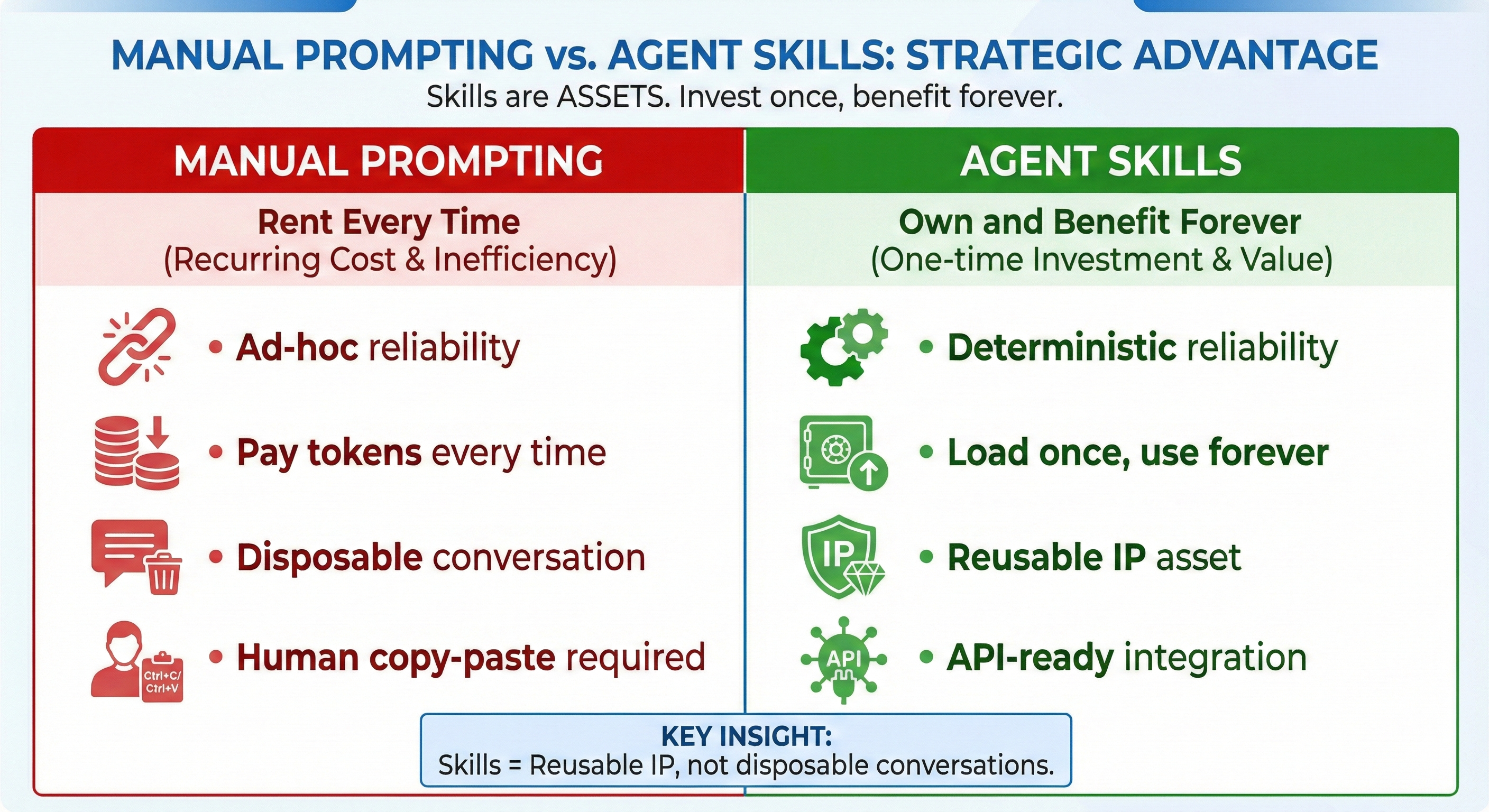
Skills you create now become building blocks for larger systems. In Part 6, you'll build Custom Agents using SDKs—and skills you create here integrate directly into those agents. Skills are reusable intellectual property that compound in value.
Ready to Practice?
Head to Lesson 10: Agent Skills Exercises for 27 hands-on exercises that take you from writing your first skills to building complete skill suites — with one-click exercise downloads and step-by-step guidance.
Try With AI
Create Your Custom Skill:
"I have a procedure I want to encode as a skill: [describe your procedure from Lesson 07]. Walk me through creating a SKILL.md file. Help me write: (1) an effective description that triggers at the right times, (2) clear instructions Claude can follow, (3) quality criteria that match my standards, (4) an example input/output."
What you're learning: The complete skill creation workflow—from procedure to SKILL.md. This is the hands-on application of Lesson 08's architecture.
Use Skill-Creator:
"Use the skill-creator to help me build a skill for [your domain: technical writing / project planning / code review / research summaries]. Start by asking me questions about my procedure, then generate the complete SKILL.md file."
What you're learning: How meta-skills (skills that create skills) accelerate your capability building. The skill-creator pattern appears throughout professional AI workflows.
Refine an Existing Skill:
"Here's my current [skill-name] skill: [paste SKILL.md content]. I've used it 3 times and noticed: [what worked], [what didn't work]. Help me improve the skill to fix these issues."
What you're learning: Skills improve through iteration, not perfection on first attempt. The feedback loop between usage and refinement is how skills mature.
Design a Skill Suite:
"I work on [describe your project type]. Help me identify 3-5 skills I should create that would work together. For each skill, suggest: what it does, when it activates, and how it complements the others."
What you're learning: How to think in skill ecosystems, not isolated tools. Skills that complement each other create more value than skills that work alone.