Specification by Example: Eliminating Logic Gaps with Code Blocks
Vague descriptions like "show a greeting" lead to inconsistent results. This lesson teaches you the power of Specification by Example using Markdown code blocks. You will learn how to provide AI agents with concrete targets—including exact output formats, command-line syntax, and multi-line code patterns—ensuring that your implementation matches your vision with 100% fidelity while eliminating the "guesswork" that causes manual rework.
Lists vs Code Blocks
In the previous lesson, you learned lists for organizing content. Code blocks serve a different purpose — they preserve exact formatting. Here's the key distinction:
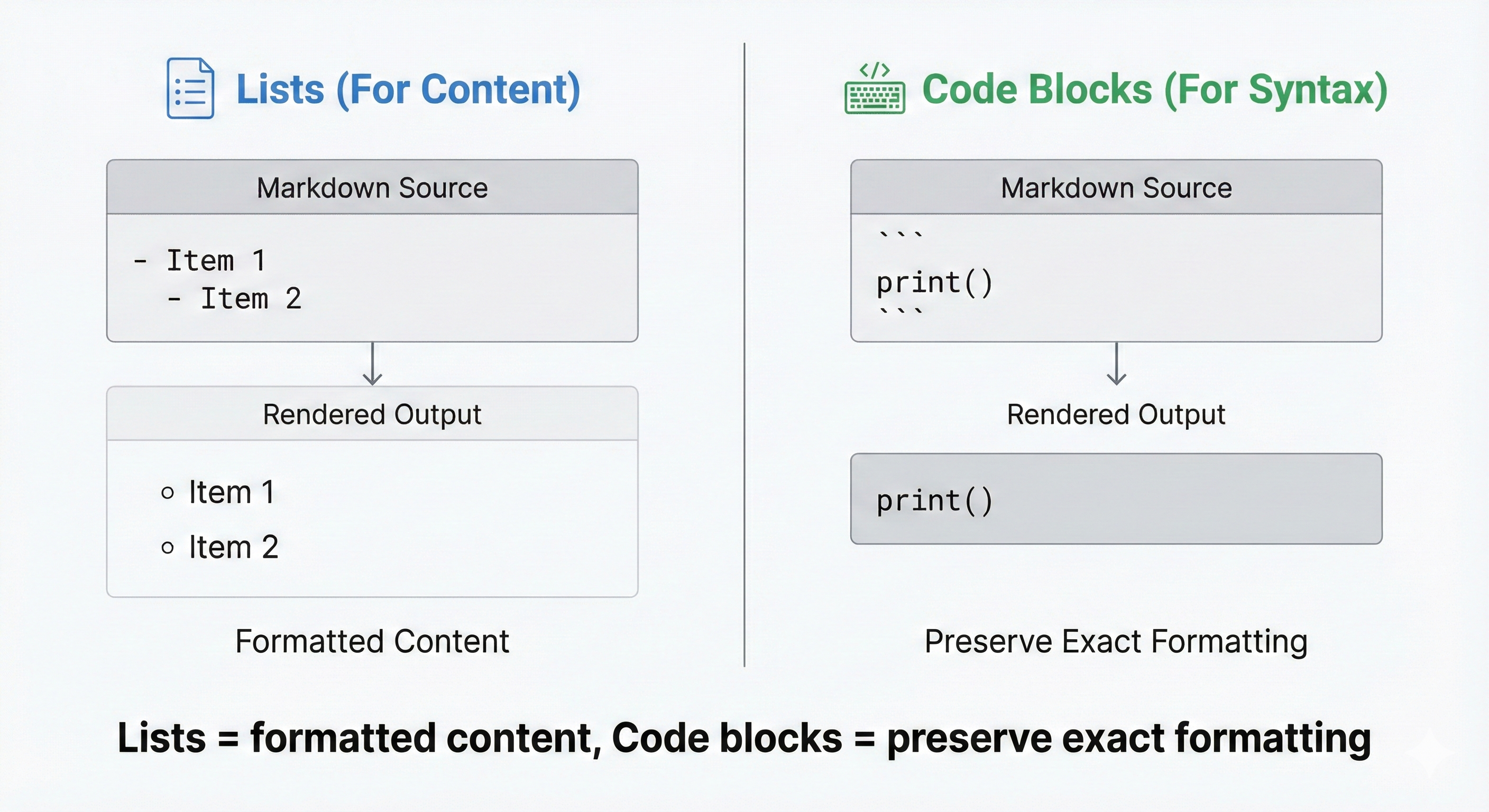
Lists organize ideas into readable bullet points or numbered steps. Code blocks preserve exact formatting — every space, every character appears exactly as you type it. Use lists to describe what the software does; use code blocks to show what it looks like when running.
Concept 1: Fenced Code Blocks (Multiple Lines)
Use fenced code blocks when you need to show multiple lines of code or output.
Basic Syntax
Create a fenced code block with triple backticks (the ` key, usually below Escape):
What you type in your markdown file:
What it renders as:
[!TIP] Pro-Tip: Documenting Code Blocks When writing documentation that shows code block syntax (like this lesson), use quadruple backticks to wrap examples containing triple backticks. This prevents the inner backticks from closing your outer block.
Example: Showing Expected Output
Example: Showing Program Code
Concept 2: Language Tags (For Clarity)
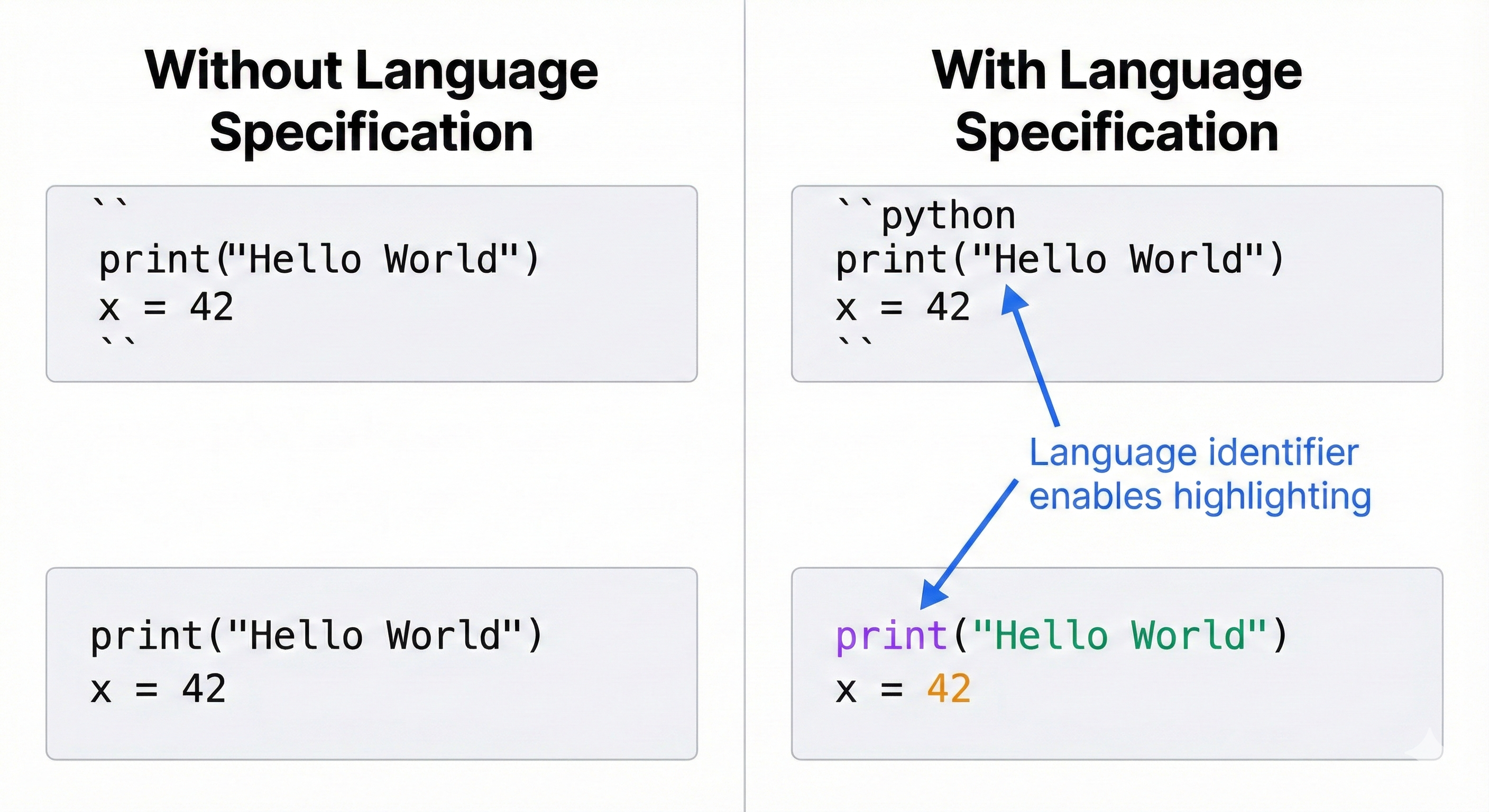
Add a language tag right after the opening backticks to specify what type of code it is.
Common Language Tags
- python — Python code
- bash — Terminal commands
- text — Plain output (no code)
- typescript — TypeScript code
- json — Data formats
- yaml — Configuration files
[!IMPORTANT] Use the Correct Tag AI agents are sensitive to language tags. If you tag Python code as text, the AI may ignore syntax rules. If you tag plain output as python, AI treats it as code to implement. Always use the correct language tag.
Example: Installation Commands
Example: Python Code
Concept 3: Inline Code (Single Backticks)
Use inline code for short code references within regular text — like variable names, commands, or file names.
Syntax
When to Use Inline Code
- Command names: python, git, npm
- Variable names: user_name, total_count
- File names: README.md, app.py
- Function names: calculate_total(), get_user()
Fenced vs Inline: Which to Use?
Practice Exercise: Task Tracker App (Part 3 - Code Blocks)
Your Task for Lesson 4
Part 1: Add Expected Output Section
[!TIP] Pro-Tip: Show Edge Cases Including edge cases (like empty states) in your code blocks gives AI a concrete target for handling those scenarios. If you don't show what "empty" looks like, the AI might not handle it gracefully.
Part 2: Update Installation Commands
Common Mistakes to Avoid
Mistake 1: Forgetting Closing Backticks
Always close your code blocks with triple backticks — everything after an unclosed block becomes part of the code block.
Mistake 2: Using Inline Code for Multiple Lines
Use fenced blocks for anything longer than a single short reference.
Mistake 3: No Language Tag When It Matters
Adding bash makes it clear this is a terminal command, not Python code or plain text.
Try With AI
Prompt 1 (Structure Check):
Prompt 2 (Clarity Check):
Prompt 3 (Implementation + Execution Test):